If you're a college student looking to unwind with top-tier entertainment without breaking the bank, the Paramount+ Student Discount is likely on your radar. While the offer itself is fantastic – 50% off both Essential and Premium plans – navigating the application and verification process can sometimes raise questions or hit a snag. This comprehensive guide addresses the most common Paramount+ Student Discount FAQs & Troubleshooting concerns, ensuring you can unlock your streaming savings with minimal fuss.
At a Glance: Your Paramount+ Student Discount Cheat Sheet
- The Deal: Get 50% off Paramount+ Essential or Premium monthly plans.
- Pricing: Essential drops to $4.50/month (from $8.99), Premium to $6.99/month (from $13.99).
- Who Qualifies: Current college students enrolled in a U.S. degree-granting program (sorry, high schoolers!).
- How to Apply: Head to the Paramount+ student discount page and verify through SheerID.
- Existing Subscribers: You'll need to cancel your current plan and reapply as a new subscriber.
- Verification: Mostly automatic via SheerID. May require uploading documents (ID, transcript) if automatic fails.
- Re-verification: Required annually to maintain the discount.
- What You Get: Live NFL, hit movies, exclusive shows, live events, and more, depending on your chosen plan.
Unlocking Your Savings: The Paramount+ Student Discount Demystified
Paramount+ has upped its game, now offering an impressive 50% discount on both its Essential and Premium monthly plans for eligible college students. This isn't just a marginal saving; it's a significant reduction that makes a world of difference for students on a budget.
What's the Deal, Exactly?
Let's break down the economics. Normally, the Paramount+ Essential plan runs you $8.99 per month. With the student discount, that drops to a wallet-friendly $4.50. If you're eyeing the Premium plan for its ad-free experience (on-demand content), local live CBS stream, and download capabilities, its usual $13.99 monthly cost is slashed to just $6.99. This move reflects a greater commitment from Paramount+ to making its vast library accessible to the student community, improving upon the previous 25% discount that only applied to the Essential plan.
Who Qualifies for This Sweet Deal?
This discount is exclusively for college students currently enrolled in a degree-granting program at a U.S. university or community college. It's a key distinction:
- Yes: Undergraduates, graduate students.
- No: High school students, middle school students, recent graduates, or international students studying outside the U.S.
The program covers students at nearly every major U.S. university and community college, so chances are, your institution is on the list.
What Kind of Content Can You Expect?
Once you're verified, a world of entertainment opens up. Depending on your chosen plan, you'll gain access to:
- Live Sports: Stream live NFL games (on your local CBS affiliate with Premium, or via NFL on CBS for Essential where available).
- Blockbuster Movies: A rotating selection of new and classic films from Paramount Pictures.
- Exclusive Originals: Shows like Yellowstone spin-offs (1883, 1923), Star Trek: Strange New Worlds, and Halo.
- Popular TV Shows: Content from CBS, Comedy Central, MTV, Nickelodeon, and Smithsonian Channel.
- Live Events: Red carpet specials, award shows like the VMAs, and more.
It's a robust library designed to offer something for every taste, from nail-biting dramas to family-friendly cartoons.
Getting Started: How to Apply for Your Paramount+ Student Discount
The application process is straightforward, primarily handled by a trusted third-party verification service called SheerID.
Step 1: Are You Eligible?
First, confirm you meet the core criteria:
- Current College Student: Enrolled in a U.S. college or university.
- New Subscriber OR Existing Subscriber Who Will Reapply: This is crucial. If you already have a Paramount+ subscription, you cannot simply apply the discount to your existing account. You'll need to cancel your current subscription, wait for it to expire, and then sign up again as a new subscriber using the student discount pathway.
Step 2: The Verification Process with SheerID
Paramount+ partners with SheerID to confirm your student status. This service is widely used across various industries for similar discounts, so it's a reputable player.
- Visit the Student Discount Page: Start by heading to the dedicated Paramount+ student discount page. This is where you’ll initiate the process.
- Provide Basic Information: SheerID will ask for your:
- Full Name
- Date of Birth
- Name of your College/University
- Your personal email address (Note: A .edu email isn't always required, as your college name and other info often suffice).
- Automatic Verification: In many cases, SheerID can instantly confirm your enrollment status using this basic information by cross-referencing public and private databases. If successful, you'll immediately proceed to sign up for your discounted Paramount+ plan.
Step 3: What if SheerID Needs More Information?
Sometimes, SheerID can't automatically verify your status. Don't panic – this is common and easily resolved. You'll be prompted to upload documentation to prove your enrollment.
Accepted Documents for Manual Review:
- Current Student ID (must show valid dates or current academic year)
- Official Enrollment Letter (on school letterhead, with dates)
- Transcript (unofficial is usually fine, showing current enrollment)
- Class Schedule (with your name and current academic term)
- Tuition Receipt (showing current enrollment for the academic year)
Tips for Uploading Documents: - Clarity: Ensure all text is clear and readable. Blurry photos are often rejected.
- Completeness: Show your name, the institution's name, and a clear date indicating current enrollment.
- Relevance: Upload one document that best proves your current student status.
Once you upload your documents, SheerID's team typically reviews them manually, often responding within 30 minutes. You'll receive an email notification regarding the success or failure of your verification.
Step 4: Confirm Your Subscription
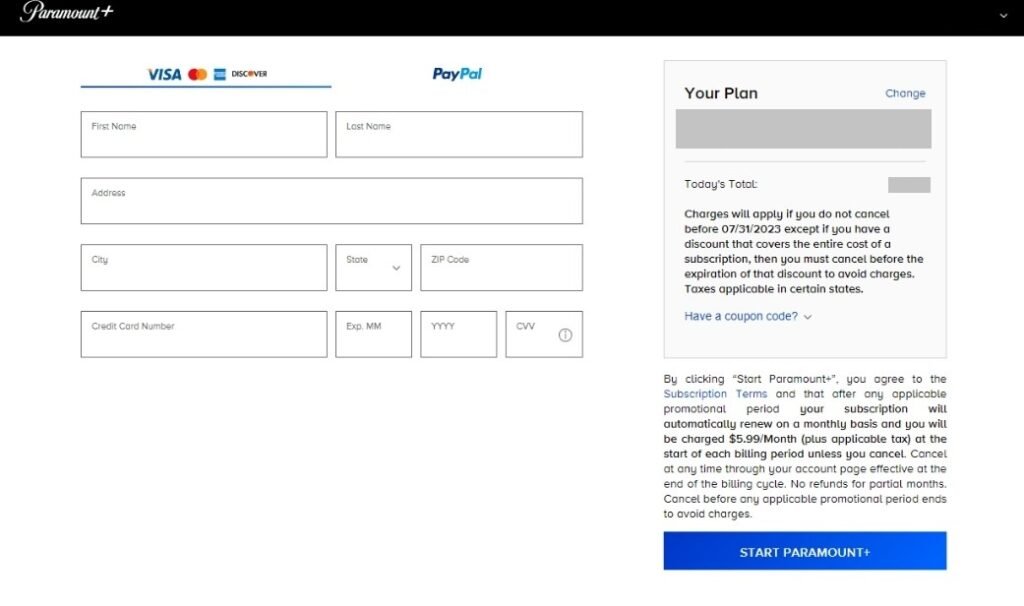
Once SheerID verifies your student status, you'll be redirected to the Paramount+ website to complete your sign-up. Here, you'll choose your Essential or Premium plan at the discounted rate and enter your billing information. That's it – you're ready to stream! For a deeper dive into all aspects of this offer, you can Learn more about Paramount student discounts.
Common Verification Hurdles & How to Clear Them (Troubleshooting)
Even with a straightforward process, you might encounter a few bumps. Here's how to troubleshoot common issues when trying to secure your Paramount+ student discount.
"My University Isn't Listed!"
While Paramount+ and SheerID aim to cover "nearly every major U.S. university and community college," occasionally your specific institution might not appear immediately, or you might misspell it.
- Double-Check Spelling: Simple but effective. Even a minor typo can prevent a match.
- Try Variations: Use the full official name, or a common abbreviation. For example, "University of California, Los Angeles" vs. "UCLA."
- Search for Parent Institution: If you attend a branch campus, try searching for the main university system (e.g., "University of Texas" instead of "UT Dallas" if "UT Dallas" doesn't appear).
- Contact SheerID Support: If you're certain your school qualifies and still can't find it, SheerID has a direct support channel to assist with school listings.
"SheerID Can't Verify Me Automatically."
This is the most common reason for a delay. Automated systems are great, but sometimes they lack the specific data points needed to confirm your enrollment instantly.
- Don't Panic, Prepare: This just means you'll need to go the manual document upload route.
- Choose the Best Document: A current student ID with an expiration date or a recent transcript showing current enrollment are often the quickest to process.
- Quality Matters: Ensure your photo or scan is clear, well-lit, and shows all required information (your name, school name, and current academic period). Blurry or incomplete documents are the primary cause of rejection here.
"I Don't Have a .edu Email Address."
Many students worry about this, especially if their school uses a different domain or if they prefer using a personal email for subscriptions. Good news: a .edu email is not always a strict requirement for SheerID verification.
- Focus on Core Info: SheerID primarily uses your name, date of birth, and college name for initial verification.
- Document Upload is Key: If automatic verification fails, your uploaded documents (student ID, transcript, etc.) are what truly prove your student status, regardless of your email domain. You can typically use any valid email address for your Paramount+ account.
"My Documents Were Rejected."
This can be frustrating, but it usually comes down to a few common reasons:
- Blurry or Illegible: The text on the document wasn't clear enough for SheerID to read.
- Outdated: The document didn't clearly show current enrollment (e.g., a student ID from two years ago with no current validity mark).
- Incorrect Document Type: While less common, sometimes people upload non-official documents or items that don't confirm enrollment.
- Missing Information: Crucial details like your name, the school's name, or current dates were obscured or missing.
What to Do:
- Review the Rejection Reason: SheerID usually provides a reason for rejection. Pay close attention to it.
- Select a Better Document: Choose the clearest, most current document you have.
- Take a High-Quality Photo/Scan: Ensure good lighting, no glare, and that the entire document is visible within the frame.
- Resubmit: Follow the instructions provided by SheerID to upload your corrected document. Remember, manual reviews typically take around 30 minutes.
"I'm an Existing Subscriber – Can I Get the Discount?"
This is a frequently asked question, and the answer, while not ideal, is straightforward: No, not directly. The student discount is for new subscribers.
- Your Path: You must cancel your existing Paramount+ subscription.
- Wait for Expiration: Allow your current billing cycle to complete and your subscription to fully expire.
- Reapply: Once your old subscription is gone, revisit the Paramount+ student discount page and sign up as if you're a new user. This will allow you to go through the SheerID verification process and apply the discount.
- Account Data: While you'll be a "new" subscriber for billing purposes, your previous viewing history or preferences might not carry over unless you use the same email and Paramount+ offers a way to link them post-cancellation (which isn't guaranteed with this specific discount process).
"I'm a High School Student. Can I Qualify?"
Unfortunately, no. The Paramount+ student discount is strictly for college students in the U.S. This typically means enrollment in a degree-granting program at a university or community college. High school students, including those in AP or dual enrollment programs, are generally not eligible under this specific program.
"How Long Does Verification Take?"
- Automatic Verification: If SheerID can confirm your details instantly, the process takes mere seconds. You'll be redirected to Paramount+ immediately.
- Manual Document Review: If you need to upload documents, SheerID generally aims to review them within 30 minutes. You'll get an email once the review is complete. Sometimes, during peak periods, it might take slightly longer, but rarely more than a few hours.
"What About Annual Re-verification?"
This isn't a one-and-done deal. To ensure only active students continue to receive the discount, annual re-verification of your student status is required.
- Why? Student status can change – you might graduate, take a leave of absence, or transfer.
- How? You'll receive email reminders from Paramount+ and SheerID as your re-verification date approaches. You'll simply follow a link to go through the SheerID process again, just like your initial application.
- What if I Forget? If you don't re-verify, your subscription will revert to the standard, non-discounted monthly price. Don't worry, you can always reapply for the student discount once you've successfully re-verified, though it might involve canceling and resubscribing if the discount has already lapsed.
Maintaining Your Discount: Annual Re-verification Explained
Securing your Paramount+ student discount is excellent, but keeping it requires a small annual check-in. This process is designed to confirm you're still an eligible student.
Why Re-verify?
It's simple: student life changes. You might graduate, transfer schools, or take time off. Annual re-verification ensures that the valuable 50% discount continues to go to currently enrolled college students. Think of it as an academic status update for your entertainment budget.
When and How Does It Happen?
You won't be left in the dark. Paramount+ and SheerID will send you email reminders as your re-verification date approaches. This is typically around a year after your initial sign-up or last re-verification.
The process itself is identical to your initial application:
- Follow the Link: The email will direct you to a SheerID verification page.
- Provide Information: You'll enter your name, date of birth, and college name again.
- Automatic or Manual: SheerID will attempt to automatically verify your status. If successful, you're good for another year. If not, you'll be prompted to upload current documents (like a recent transcript or updated student ID), which SheerID will manually review.
What Happens If You Don't Re-verify?
If you miss the re-verification window or are no longer eligible, your Paramount+ subscription will automatically revert to the standard monthly price. For example, an Essential plan will go from $4.50 to $8.99 per month. You won't be immediately cut off from service, but your monthly bill will increase.
If you subsequently re-verify your student status after your discount has lapsed, you might need to contact Paramount+ support or cancel your current full-price plan and reapply for the student discount from scratch. So, mark your calendars!
Making the Most of Your Paramount+ Student Plan
Now that you've tackled the technicalities, let's look at how to maximize your streaming experience.
Essential vs. Premium: Which One is Right for You?
Choosing between the two discounted tiers comes down to your priorities:
- Paramount+ Essential ($4.50/month with student discount):
- Pros: Most affordable option. Access to vast on-demand library (shows, movies). Limited live news via CBSN. NFL on CBS (where available).
- Cons: Includes "limited commercials" on on-demand content. No local live CBS station streaming. No download option.
- Best For: Students primarily interested in on-demand shows and movies, who don't mind a few ads, and aren't reliant on live local CBS.
- Paramount+ Premium ($6.99/month with student discount):
- Pros: Mostly ad-free on-demand streaming (live TV has ads). Includes your local live CBS station (great for sports, local news, and prime-time shows). Download content for offline viewing.
- Cons: Slightly higher price point.
- Best For: Students who prioritize an ad-free experience, want access to their live local CBS station (especially for NFL or other live events), and appreciate the convenience of offline downloads for commutes or areas with spotty Wi-Fi.
Consider your budget and viewing habits. The Premium upgrade is relatively small ($2.49/month difference with the discount) for a significant bump in features.
Beyond the Classroom: What to Watch
With a catalog spanning major networks and studios, there's always something new:
- For the Binge-Watcher: Dive into critically acclaimed series like Yellowjackets, Tulsa King, or classics like Survivor and Big Brother.
- For Movie Night: Catch new releases and beloved blockbusters. Paramount+ often gets major film releases relatively quickly after their theatrical runs.
- For Sports Fans: Live NFL games are a huge draw for the Premium plan. You can also find college football (SEC on CBS) and other sports coverage.
- For a Laugh: Comedy Central specials, South Park, and more.
- For Escapism: Explore nature documentaries from the Smithsonian Channel or captivating dramas.
Tips for a Smooth Streaming Experience
- Strong Wi-Fi: Ensure a stable internet connection for the best quality, especially for live content.
- Device Compatibility: Paramount+ is available on most major streaming devices (smart TVs, phones, tablets, gaming consoles, web browsers).
- Download for Offline (Premium): If you have Premium, use the download feature for long commutes or when you know you'll be without internet.
- Parental Controls: If sharing with family, utilize parental control settings to restrict content.
Beyond the Basics: Frequently Asked Questions
Even after covering the application and troubleshooting, a few lingering questions often surface.
Can I Share My Student Discount with Others?
Paramount+'s terms of service generally state that accounts are for use within a single household. While the discount is tied to your student status, the resulting subscription typically allows for multiple profiles and concurrent streams, just like a regular Paramount+ account. However, sharing your student discount login broadly outside your immediate household may violate their terms and could lead to account suspension. It's best used within your own living situation.
What Happens if I Graduate?
Congratulations! While graduating is a major milestone, it means your student eligibility for the discount will eventually end. The discount will remain active until your next annual re-verification. When that date arrives, and you're no longer an enrolled student, you won't be able to re-verify, and your plan will automatically revert to the standard monthly price. You can, of course, continue your subscription at the full rate if you wish.
Can I Pause My Subscription?
Paramount+ generally doesn't offer a "pause" feature for subscriptions, including student plans. If you need to stop your service temporarily, you'll typically need to cancel it. If you wish to resubscribe later, you'd follow the standard sign-up process. If you're still a student, you'd then need to go through the SheerID verification again to reapply the student discount.
Is the Discount Available Internationally?
No, the specific Paramount+ student discount discussed here, verified by SheerID, is only available to college students enrolled in U.S. institutions. Students in other countries should check their local Paramount+ offerings for any regional student programs, which may differ.
What if I Have Billing Issues After Verification?
Once your student discount is successfully applied and you're subscribed, any billing questions (e.g., incorrect charges, payment method updates) should be directed to Paramount+ Customer Support directly. SheerID handles only the eligibility verification; Paramount+ manages your actual subscription and billing. Their support section on the website usually offers FAQs, live chat, or email options.
The Bottom Line: Don't Let Verification Glitches Stop Your Streaming Savings
The Paramount+ student discount is a fantastic perk, offering a wealth of entertainment at half the price. While the verification process, especially through SheerID, might seem like an extra step, it's a necessary one to ensure the discount reaches genuine college students.
Don't be deterred by minor hurdles. Most common issues, from a missing university to document rejections, have simple solutions outlined above. With a clear document photo or a quick search for your school's official name, you can move past these snags quickly.
So, take advantage of this generous offer. Follow these FAQs and troubleshooting tips, and you'll soon be enjoying live sports, hit movies, and binge-worthy series without the financial strain. Happy streaming!